.svg)
All-in-one Workplace Management Software



 Bookings
 Optimize space
 Work council compliant
 Onboarding
 GDPR & ISO 27001
 Support
Workplace Management für hybride Teams

Over 1,000 companies worldwide trust desk.ly































The essentials in real-time
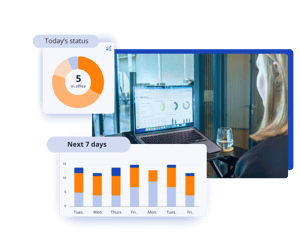
What are the occupancy rate and share of remote working? The dashboard in the Workplace Management App provides a quick overview of current utilisation and a forecast for the next seven days.
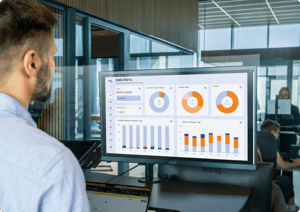
Analyse occupancy and user status in detail
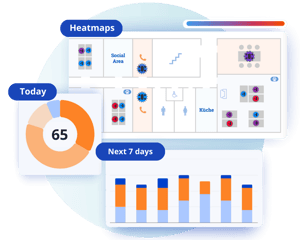
The admin section offers comprehensive analytics and heatmaps to help you manage your workplace. Get daily and overtime insights into:
- utilisation of workspaces and rooms by weekday and overtime
- occupancy level of your locations
- user status (home office vs. on-site)
 Recognise potential
Analyse your workspace usage data to identify areas for optimisation.
 Reduce ongoing costs
Optimise your recurring purchases and cleaning services according to occupancy.
 Optimise license usage
The admin dashboard shows you how many licences you are currently using. This makes it easier to manage users and onboard new colleagues.
 Filter ressources
Analyse how individual resource types are used, such as meeting rooms or parking spaces.
 Individual Analysis
Use the RESTful API to transfer your booking data to your systems and perform your own analyses.
 Analyst as a role
Grant individuals access to key booking data by assigning them the Analyst role.
The most accurate way of measuring occupancy
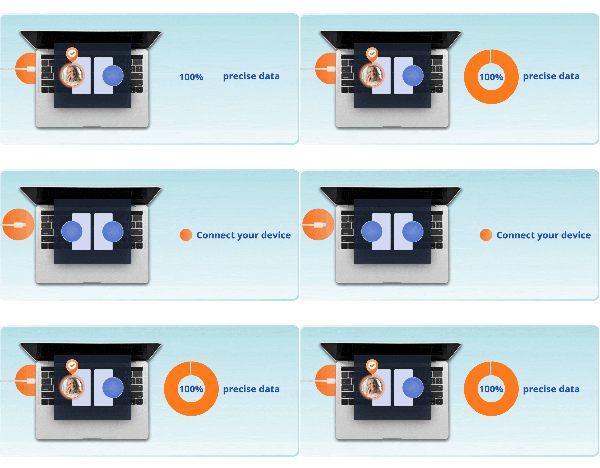
desk.ly Connect automates bookings and check-ins for up to 100% accurate occupancy data. Whether it's a planned or spontaneous booking – everything is captured, with zero manual effort.

For your safety desk.ly is GDPR compliant & ISO 27001 certified
Manage and analyze resources
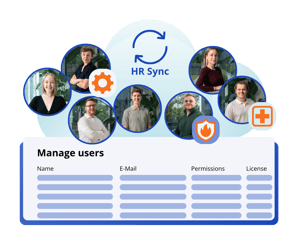
Manage users and permissions centrally, either manually or automatically via your integration. Define rules for priority booking, how far in advance bookings can be made, desk check-ins and anonymous bookings.
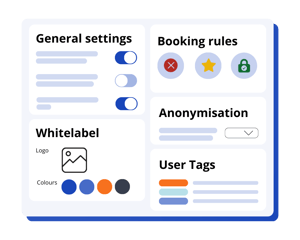
Upload your floor plans and define your bookable desks, zones and parking spaces. With desk.ly, you can configure your office space exactly as you need it.
Tip: Make use of our floor plan service!

Save time with our integrations and automate user management and permission groups. Your personal Customer Success Manager will support you with setup, onboarding and ongoing consultations.












Map your complete office environment
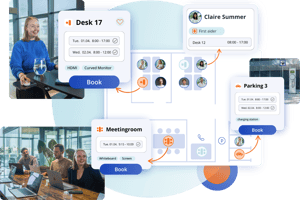
See who is in the office and when, and book the perfect desk with just a few clicks.
Booking meeting rooms with catering and sync them with Outlook or Google Calendar.
Book parking spaces and enjoy a more relaxed arrival thanks to reservations and license plate recognition.
desk.ly is Workplace Management Leader
-1.png?width=300&name=use-cases%20(2)-1.png)
Easily organize hybrid collaboration with full transparency.
.png?width=300&name=LP_headergrafiken_1000x1000%20(14).png)
Repeatedly recognised as leading tool based on 300+ glowing reviews on G2, Capterra and OMR.
.png?width=300&name=use-cases%20(3).png)
Reduce rental and ancillary costs, save time, and optimise your office utilisation.