.svg)
Can I book desks for colleagues in desk.ly?
Yes, you can book desks for your colleagues in desk.ly. To do so, they’ll need to give you permission in their personal settings. You’ll find a step-by-step guide in the article “Who can book for me?”
How do I book a desk for a colleague?
New booking process
Under “Book”, you’ll find the booking view with all available resources – like desks, spaces in zones, or meeting rooms.
In the top right corner, there’s a dropdown menu where you can choose whether to book for yourself or someone else. Simply select the person you want to book for and complete the booking as usual.
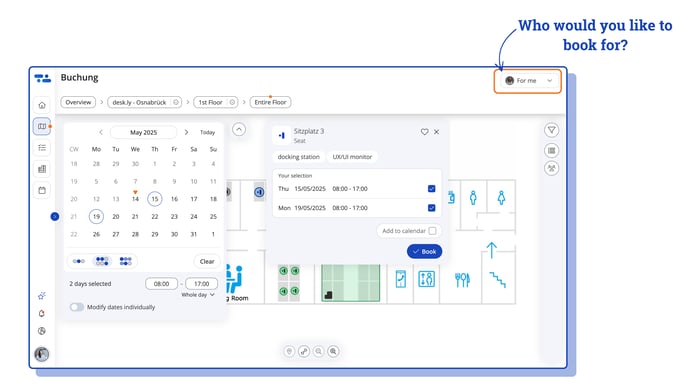
- Select the floor plan.
- Choose the day you want to book – you can also book for multiple days at once.
 Green markers show available desks or rooms based on your selection. Click directly on a green marker on the map to choose a space. Alternatively, you can use the list view on the right-hand sidebar.
A booking window will open, where you can review your selection and confirm it by clicking “Book” – and you’re done!
 You can easily add your booking to Outlook or Google Calendar.
Just click “Add to calendar” in the booking window.
Old booking process
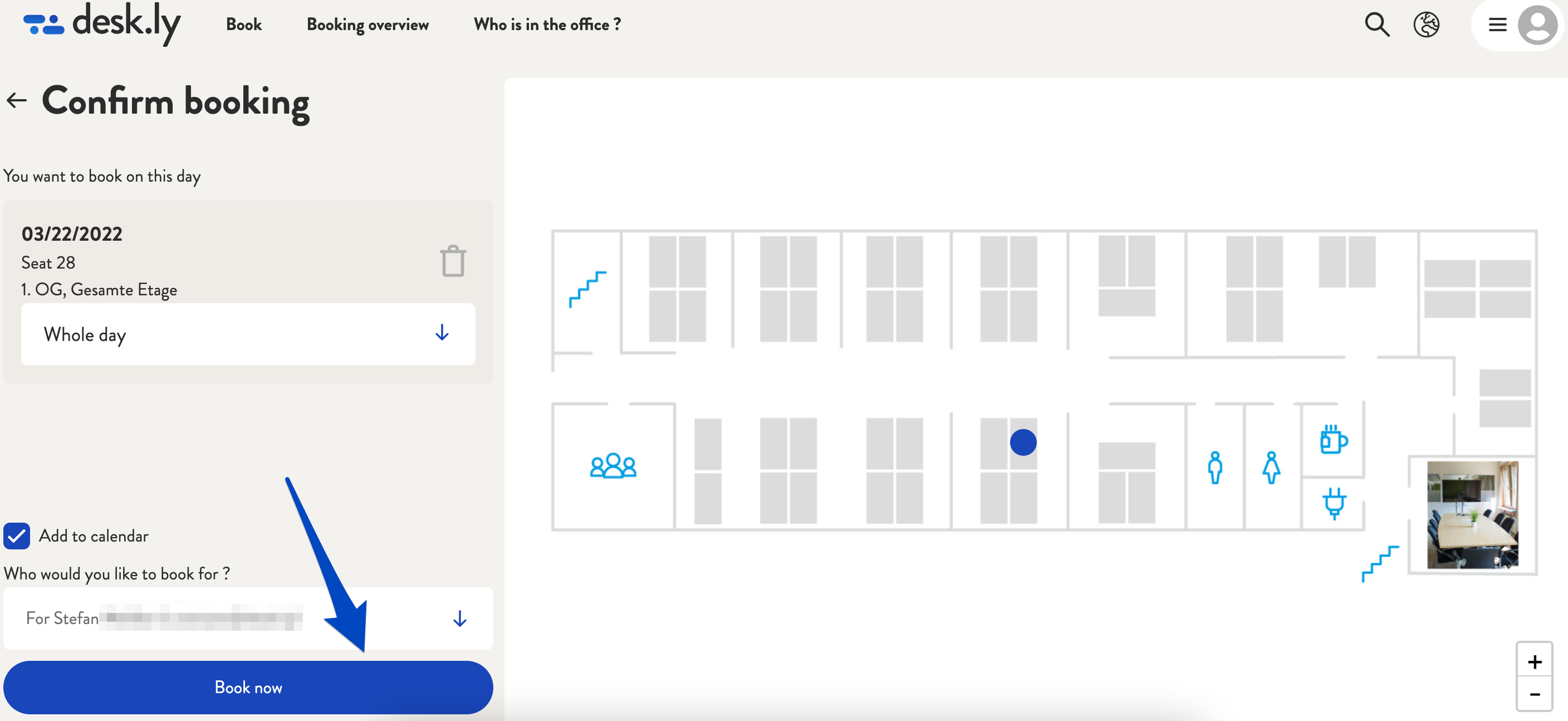
Click on the button "Book a seat" after logging in and then filter the overview by location, area, days and, if necessary, other options. A detailed description of how to book a seat with desk.ly can be found here. Once you have decided on a seat where your colleague should sit, click on "Continue to booking". In the booking overview, you can now select who you would like to book for. This option is displayed above the button "Book now". Here you select your colleague and then click on "Book now". The person will then receive an email with the booking confirmation and, if previously selected, an option to add the booking to the calendar.
Note: This function can be activated or disabled by your administrators. For this, please contact the responsible person.
This is how it looks like:
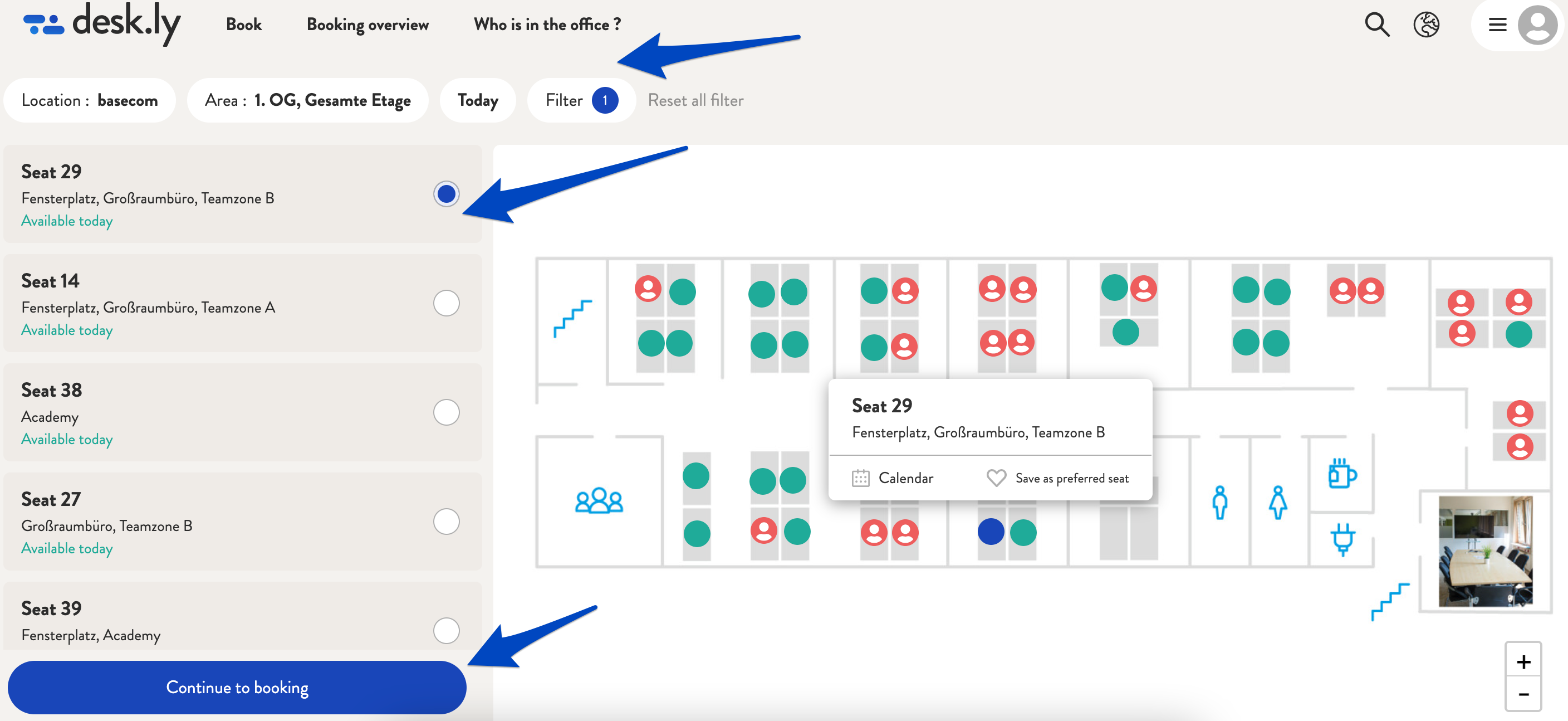
1. Select the location, an area, the day and e.g. the duration of the booking (via "Filter"). Then click on "Continue to booking".
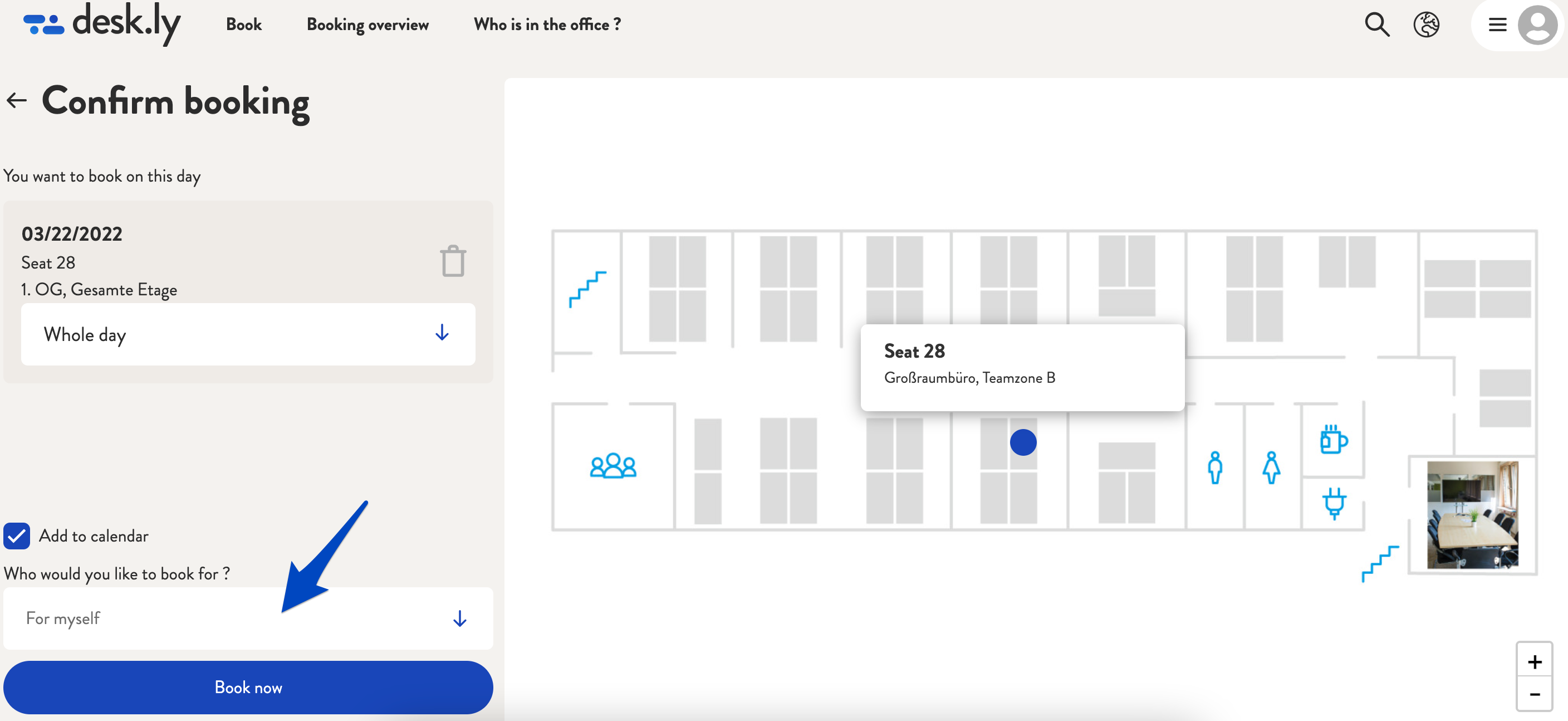
2. Above the button "Book now" you will find a field that says you would like to book for yourself. Click on this field.
3. Now select the person you would like to book for.
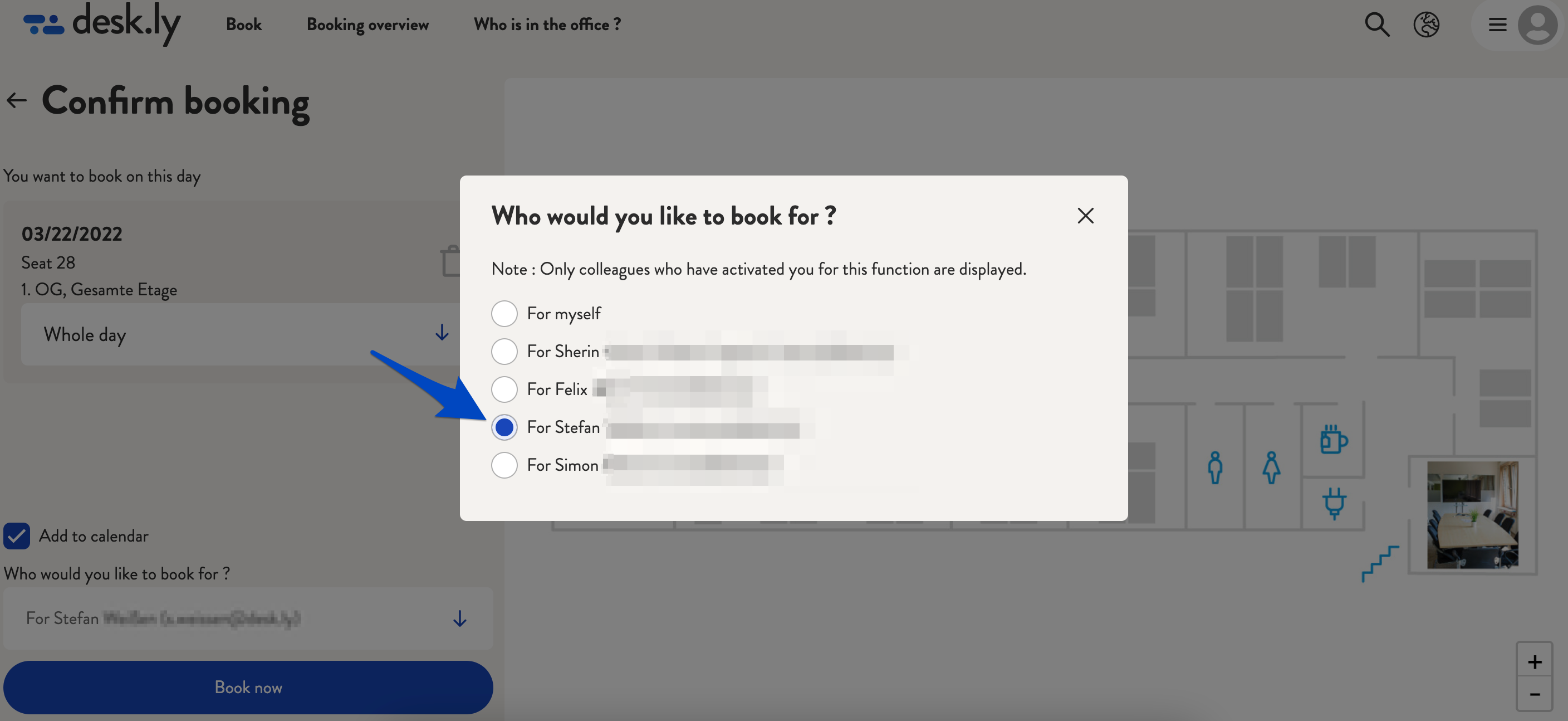
4. Then click on "Book now".