.svg)
Can I book for several days at once?
Of course, you can. Here is how it works:
New booking process
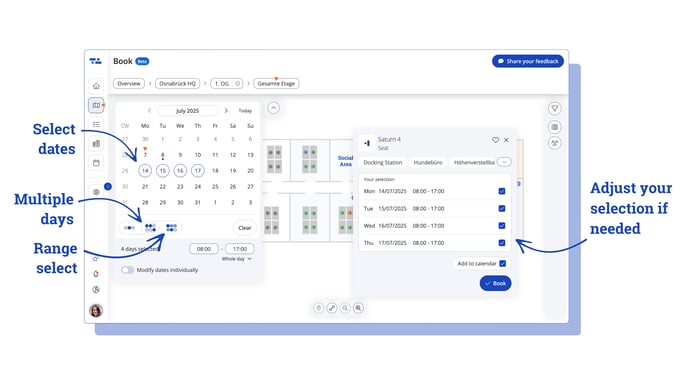
- In the booking view, click on the arrow next to the compact calendar to switch to the monthly calendar view.
- Choose between:
 selecting multiple days – to pick several individual dates, or
 selecting a date range – to book a continuous period, e.g. the next two weeks.
Weekends will automatically be excluded if you've marked them as non-working days in your Weekly Schedule settings.  Green markers show you which desks or rooms are available on some or all of your selected days.
Click on the resource you want. If needed, adjust the days in the booking window – then hit “Book” and you’re done!
 You can easily add your booking to Outlook or Google Calendar.
Just click “Add to calendar” in the booking window.
Old booking process
Wenn du möchtest, kann ich auch eine Version für Tooltips oder kürzere UI-Texte erstellen.
Via the tab "Book" you get to the overview and have the possibility to book a workstation. How to book a simple place (booking for today), can be read here. If you don't want to make a booking for every single day, but want to cover several days with one booking, you have the possibility to make a "multi-day booking". This article will show you how.
Here's how:
1. Choose a location and the area where you want to make a booking.

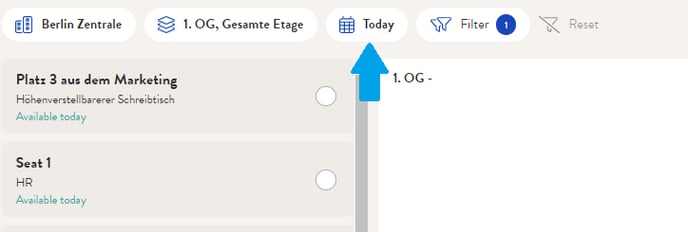
2. Click on the calender, to open it up
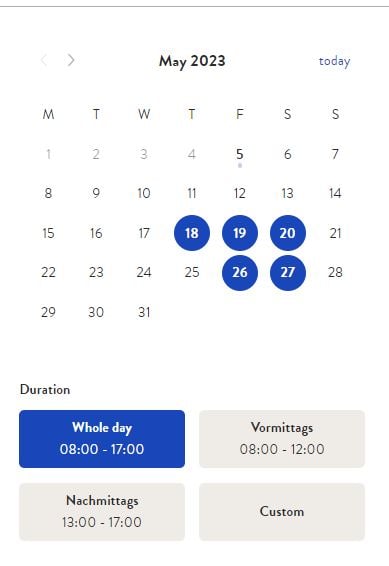
3. Select a period for which you want to make a multi-day booking. You can choose the duration in which the seat should be booked.
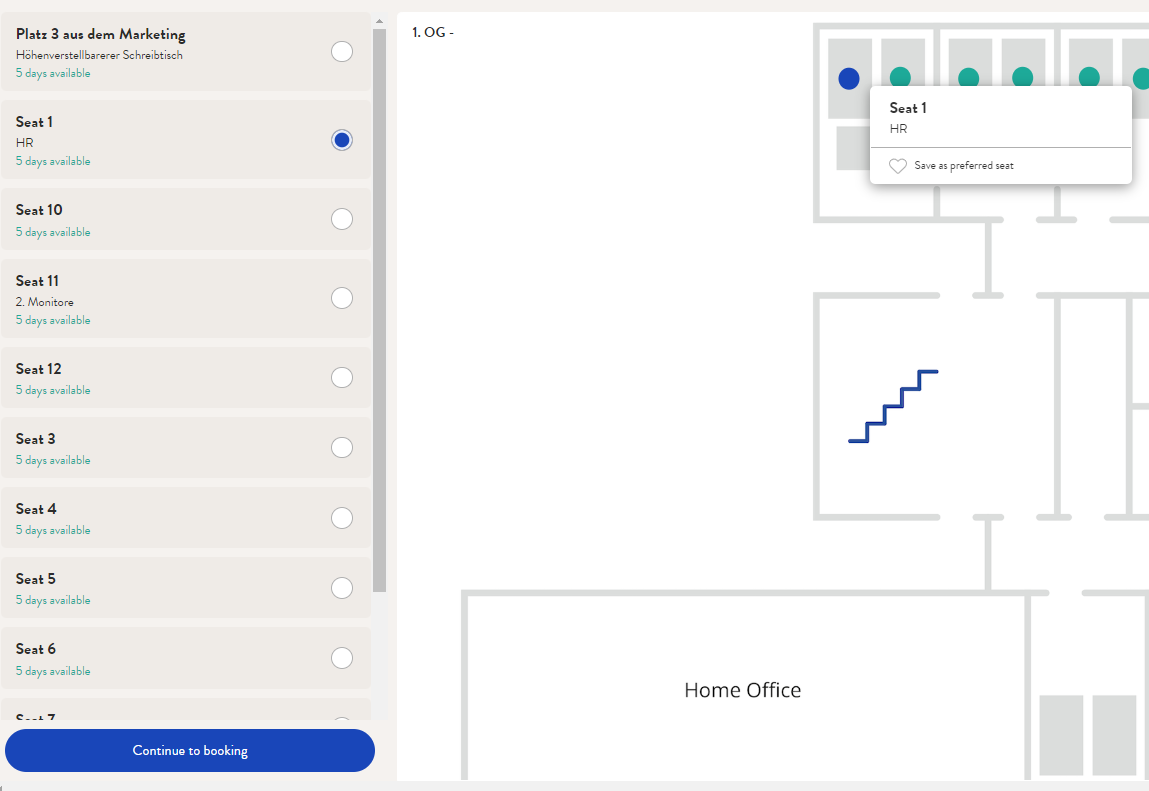
4. Select the place for which you'd like to make a multiple day booking. Finally click on "continue to booking".
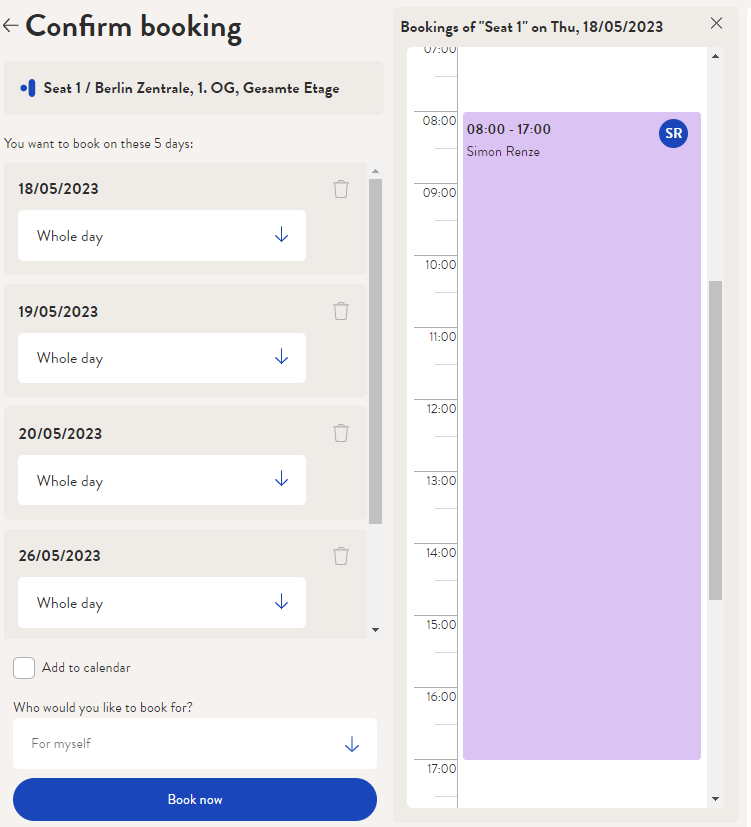
5. You now have the possibility to adjust your booking. You can select different booking periods (eg: morning, afternoon, etc.) You're happy with your choice? Click on "Book now."
With the function "Add to calendar" you have the possibility to add your booking to your online calendar (Outlook, Gmail, etc.) via a link that will be sent to you.
Did you know?
In your profile you have the possibility to define your primary area (seating plan) if the company you work for has multiple locations, floors and seating plans at desk.ly. You can learn how to do that here.
Do you have any further questions?
You can contact our support team at any time by email (support@desk.ly). From Monday to Friday between 9 a.m. and 4 p.m., we are also available via live chat and/or by phone at +49 541 9625 9040.
You also have the option of contacting our support here via the Help Centre. To do so, use the button "contact the support team here", which you can find in the top right-hand corner.