.svg)
With the catering feature, you can specify your catering needs directly when booking a meeting room – provided your company has activated this feature for the location. Your catering request is automatically sent via email to the designated catering contact and to you. This makes organizing your meeting even easier and more efficient!
In this article you will learn:
How to add catering to your meeting room booking
- Select your meeting room.
- In the booking window, click the three-dot menu next to the time.
- Select “Add catering”.
- Enter your requirements in the text field, for example “Water, tea, coffee and biscuits for 6 people”.
- Complete your room booking as usual. Your catering request is automatically included in the booking confirmation, which goes to both you and the catering team.
- The email gives your catering team everything they need to get your meeting perfectly set up.
Tip: The more specific you are, the better your catering contact can meet your needs!
Here you can see an example e-mail to the catering team: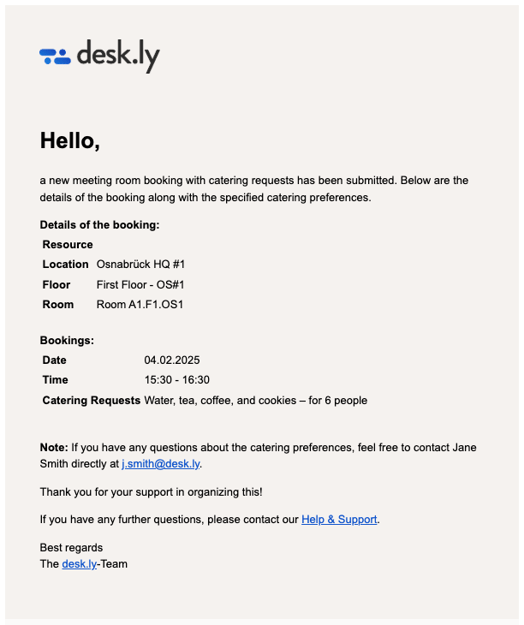
Cancelling or changing your catering order
Cancellations:
If you cancel a booking with catering, both you and the catering contact will automatically receive a cancellation email.
Changes to your catering request:
If you need to make changes to your catering after booking, you can contact the catering contact directly. Their details can be found in the confirmation email.
Do you have any further questions?
You can contact our support team by email at support@desk.ly at any time. From Monday to Friday, 9 am to 4 pm (CET), we are also available via live chat and/or by phone at +49 541 9625 9040.
You can also contact our support team here in the Help Centre by clicking the "Contact our support team" button in the top right corner. We are always happy to help!