
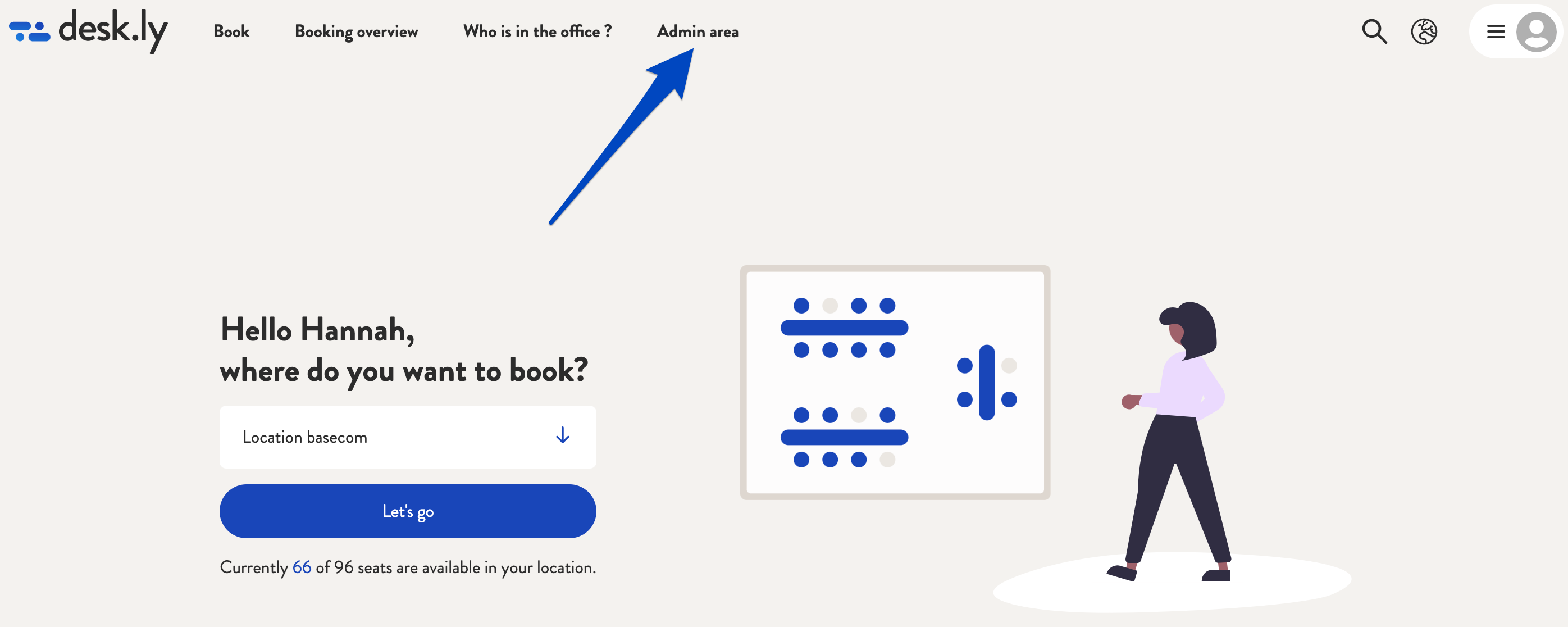
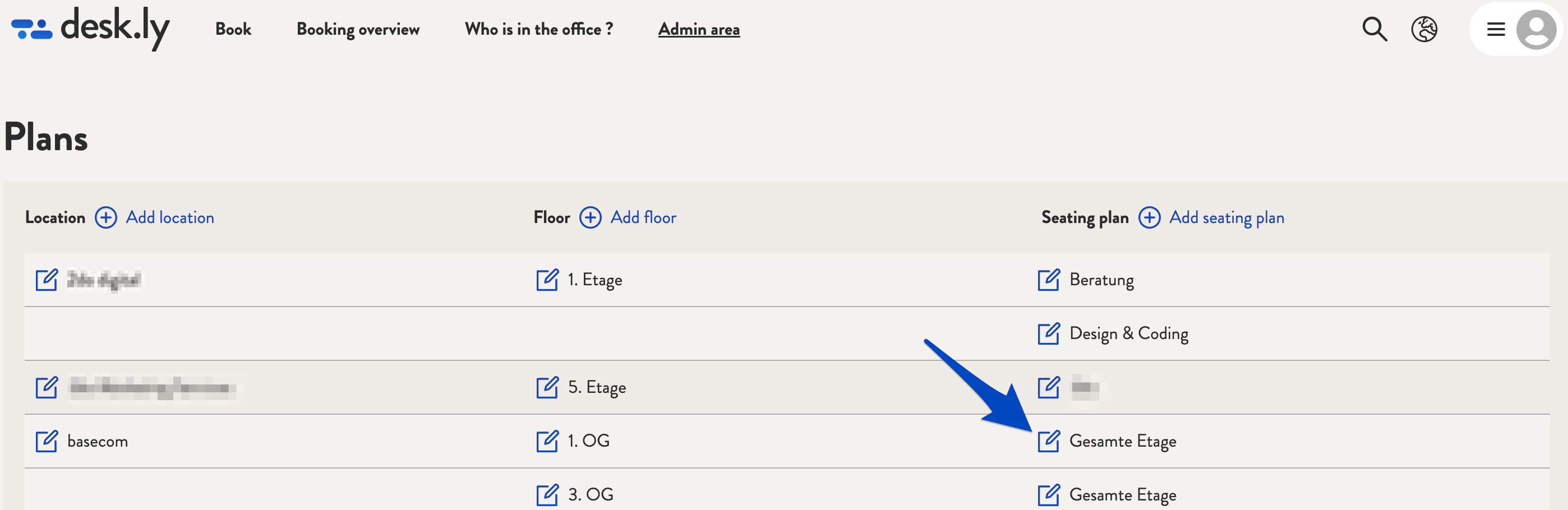
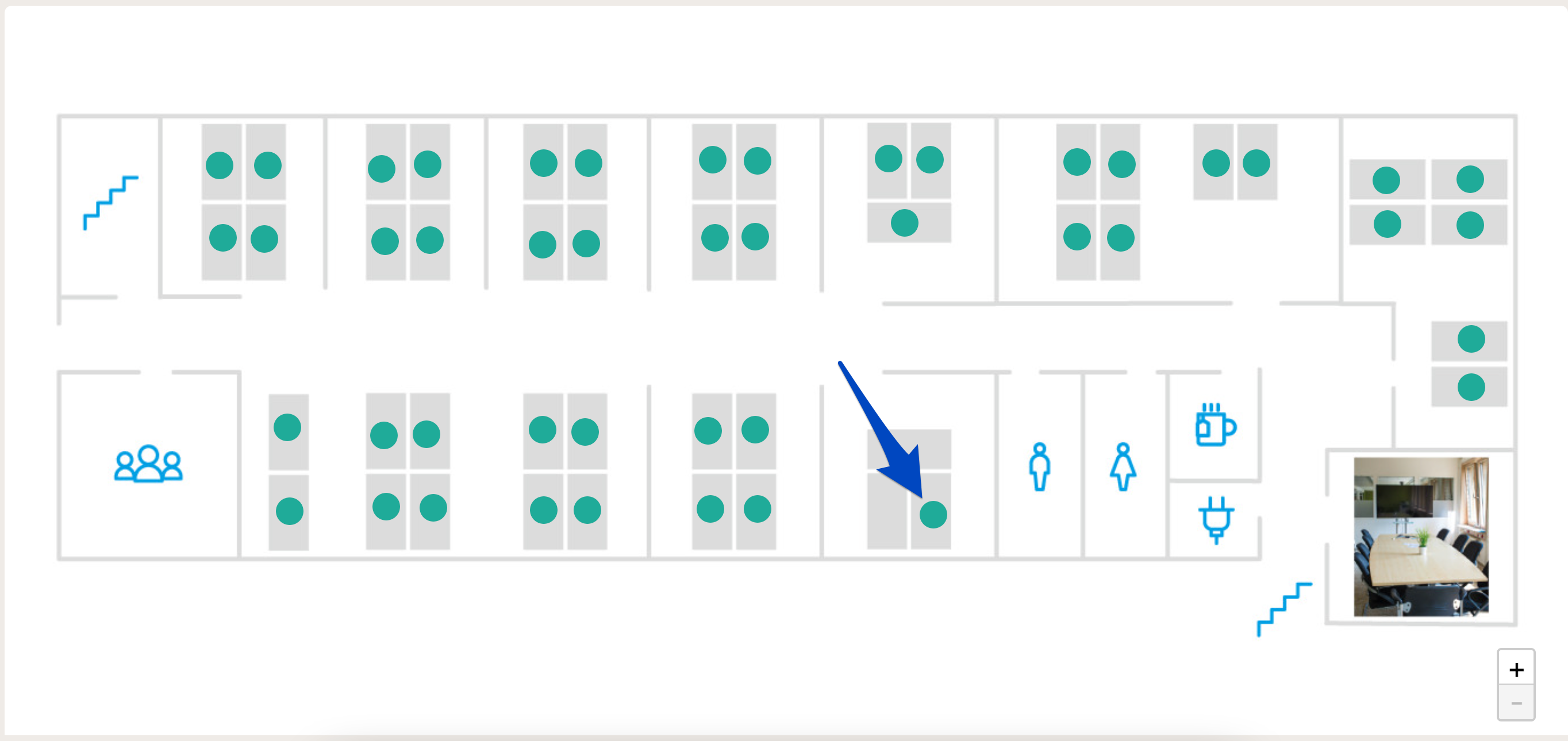
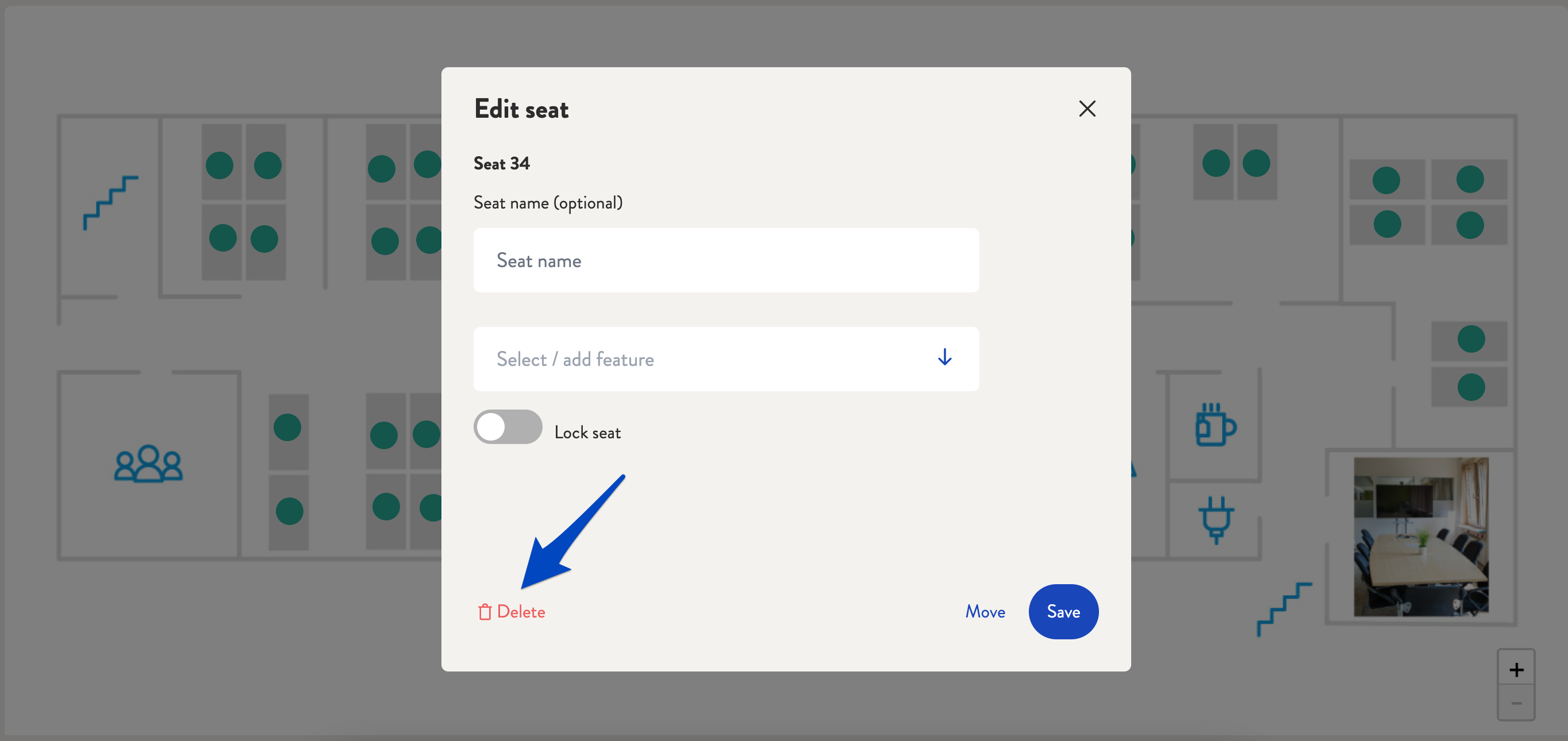
If you would like to delete a seat, first go to the admin area and select "Plans". There you select the seating plan where you would like to delete the seat by clicking on the icon. You will now see all available seats on the map. If you click on the seat you would like to remove, a new window will open. Click on "Delete" and then confirm.
This is how it looks like:
1. Go to "Plans" in the admin area.
2. Select the seating plan via the icon.
3. Select the seat you would like to delete.
4. Click on "Delete".
Do you have any further questions?
You can contact our support team by email at support@desk.ly at any time. From Monday to Friday, 9 am to 4 pm (CET), we are also available via live chat and/or by phone at +49 541 9625 9040.
You can also contact our support team here in the Help Centre by clicking the "Contact our support team" button in the top right corner. We are always happy to help!