.svg)
Filter options at a glance
To help you quickly find the right desk or room in desk.ly, you can narrow down your selection by date, location as well as by specific features your admin has defined for each resource.
Popular filter options include things like height-adjustable desk, large monitor, or window seat.
 If no features are shown under "Filters", your admin hasn’t set any for the resources.
New booking process (starting from June 2025)
You’ll find the filter options in the booking view on the right-hand sidebar. Click the funnel icon to open the filters.
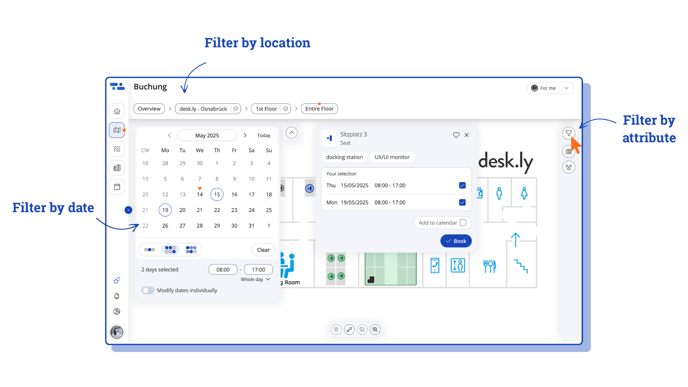
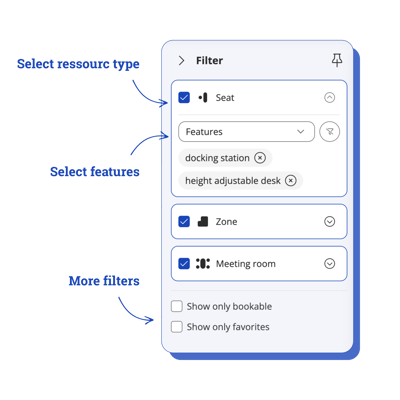
- Select the features your desk or roomshould have.
- You can also limit the selection to a specific type of resource – a desk, a zone, or a meeting room.
- And you can choose to display only bookable resources or your favourites.
The map will then show the resources that match your selection.
Old booking process (before June 2025)
1. First you will see the location, the area and the days according to which you can filter.
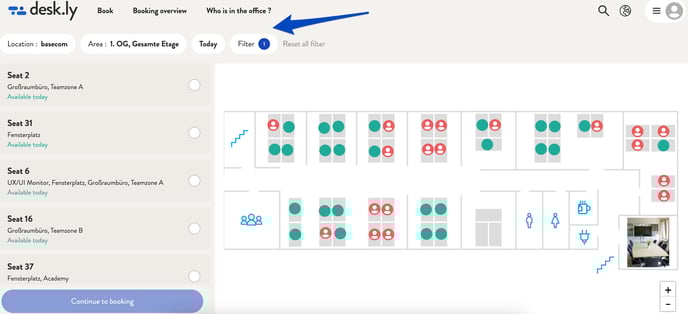
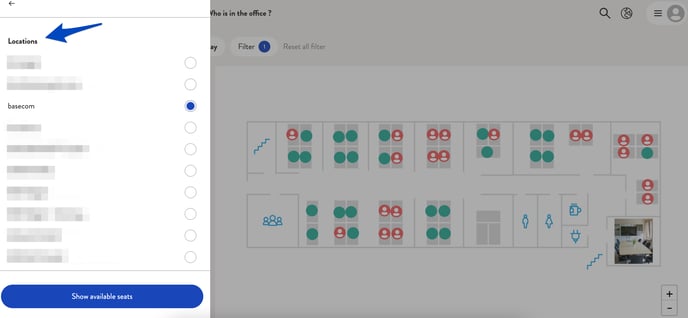
2. By clicking on "Location" you can select different locations. In this case, the location is the company "basecom".
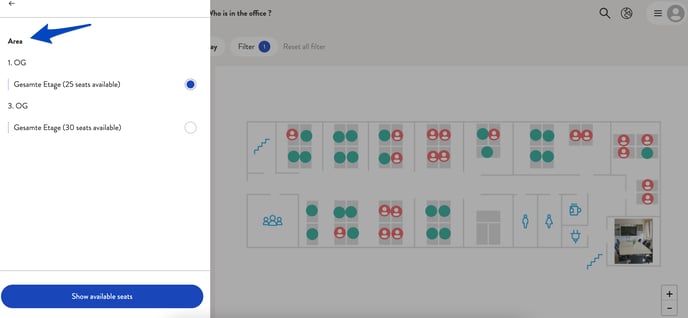
3. Under the "Area" button you will find the floors you defined per location.
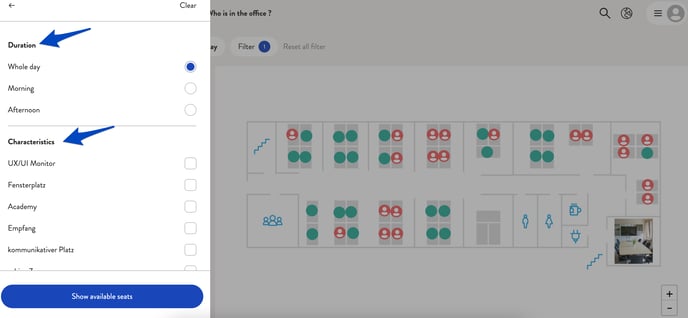
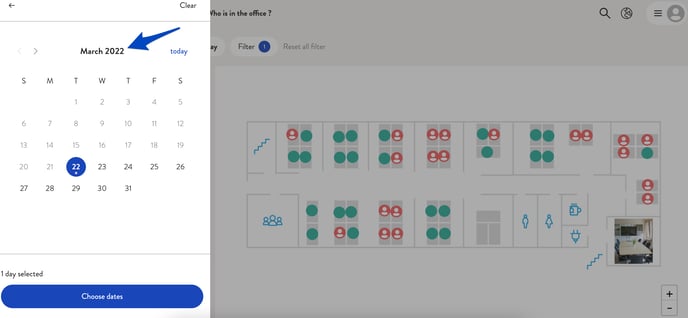
4. By clicking on "Today" a calendar view opens. Here you can select the days you would like to book a seat for. It is also possible to book for one day only.
5. Under "Filter" you will find further options, such as the duration of the booking or the features that have been added to all places.