.svg)
If desks are booked but neither used nor cancelled, it skews your statistics. Check-ins help you build a more accurate data foundation showing the actual office utilisation. When you enable this feature, users will be prompted to 'check in', or confirm their desk usage. As an admin, you can activate or deactivate this feature globally in the system settings.
Good to know:
- Early check-in: Users can check in up to 30 minutes before their booking starts – perfect if someone arrives at their desk earlier than planned.
- Check-in window: You can define how long after the booking start time users have to check in, and whether unconfirmed bookings are automatically cancelled afterwards.
- Email reminders: Users will receive an email reminder to check in.
- Automatic check-in: If you use desk.ly Connect, users are checked in automatically as soon as they plug in to a connected stationary device (e.g. a monitor or docking station).
 Included in all plans: The check-in feature is included in all desk.ly packages.
How to enable check-ins:
- Go to the System Settings in the admin area.
- Here, you can activate and customise the check-in feature.
Automatic cancellation
If you enable "Automatic cancellation of bookings without check-in", unconfirmed bookings will be automatically cancelled after your pre-set period. The booked resources are then released and made available again. You can set the check-in window for your employees, giving them either 30, 60, 90 or 120 minutes after the booking starts to check in. This offers them greater flexibility.
Check-in reminders
-
If you use desk.ly Connect, users are checked in as soon as they plug in their laptop at their desk (e.g. to a monitor or docking station). This ensures the most accurate data, as nothing can be forgotten.
-
A pop-up will appear on the desk.ly start screen 30 minutes before the booking starts, allowing users to either check in or cancel their booking.
-
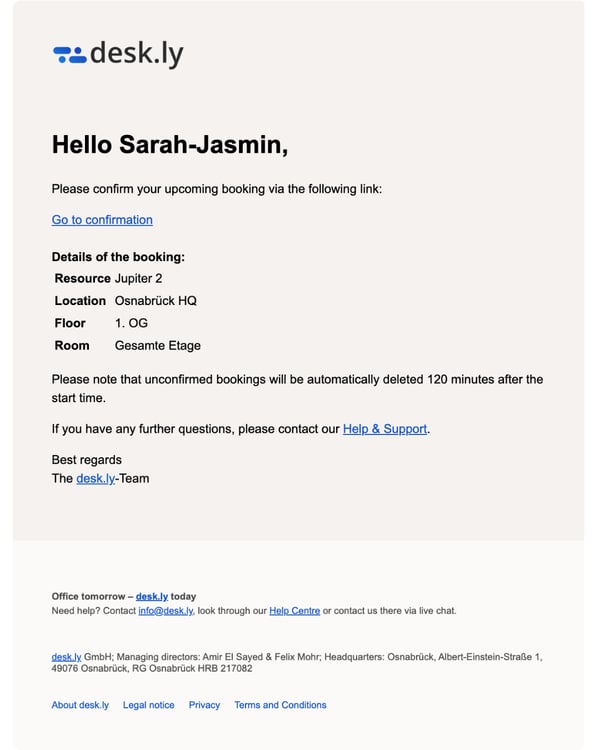
Additionally, they will receive the following email 15 minutes before the booking starts asking them to check in:
Still stuck?
Use our support form or send our support team an email.
For anything urgent, you can also reach us via live chat on our website or on +49 541 9625 9040, Monday to Friday from 9 am to 4 pm.