.svg)
Whether you have job applicants coming in for trial shifts, auditors, coaches, or other external visitors, guest booking makes organising it all effortless.
-
You can book a desk, meeting room, or parking space for your guests.
-
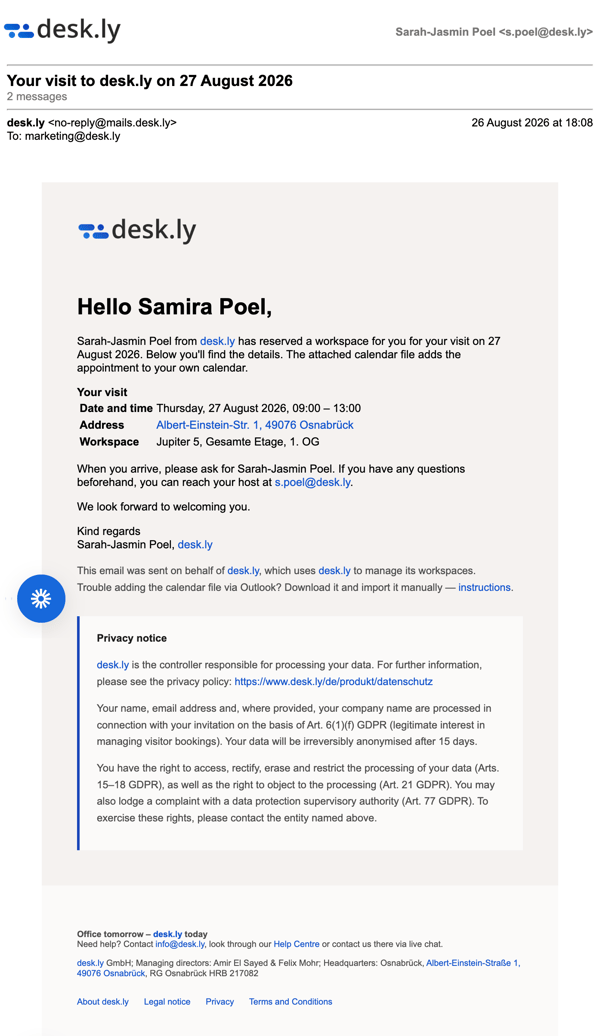
They will automatically receive an email confirmation containing all the essential details.
-
Your colleagues can see when and where guests are on site—and if needed, you can add a note about the guest for them.
 Available from Enterprise and up. Please contact us to learn more about your upgrade options!
In this article:
How guest booking works
You book for guests just as you would for yourself: select the date and time, then click on an available desk or room. In the booking modal, enable "Book for a guest" and fill in the guest's personal details. Complete the booking as usual by clicking the "Book" button. Here is the step-by-step process:
Automated communication
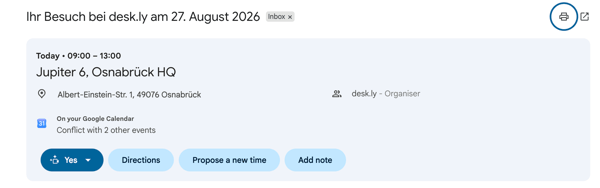
The guest receives an automated email with the key details of their visit. The email also includes a calendar invite, allowing the guest to add the appointment to their calendar. Here is an example:
Which personal details are required?
To properly identify the visitor, guest booking asks for minimal yet necessary information:
- Email address (essential for the confirmation email)
- First and last name
- Company
 Anonymise guests: Optionally, you can hide the guest’s personal details from your colleagues by ticking the relevant checkbox.
Where are guest bookings visible?

- For everyone: Guest bookings are marked with a "G" for "Guest" on the floor plan.
- For everyone: Guest bookings also appear in the "Who is in the office?" view.
- For you only: You can view and manage the guest bookings you created in your booking overview.
How can I edit or delete guest bookings?
A guest booking can only ever be edited or deleted by the person who created it. You can manage your own guest bookings under "My bookings".