
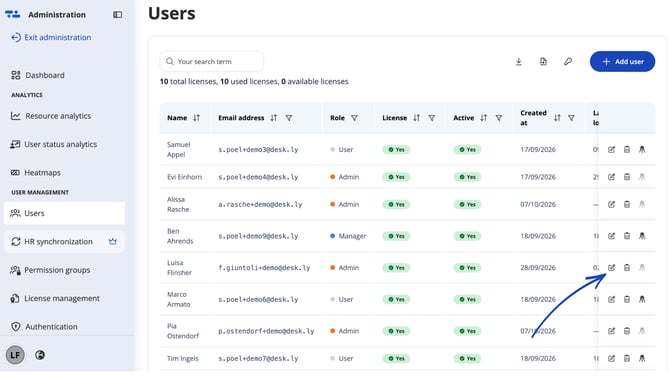
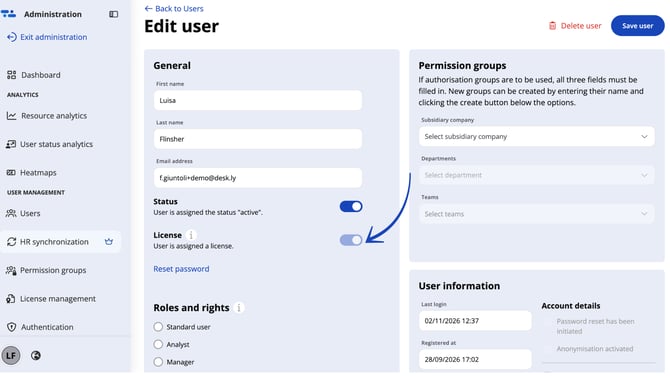
Open the admin area and click on "Users" in the drop-down menu. Here you can see the available licences of your company (Corona Support licences and standard licences). By clicking on "edit", you can assign licences to individual users or take them away by clicking on the "licence activated/deactivated" button.
Attention: If a user does not have a licence, he or she can no longer log in to desk.ly.
Do you have any further questions?
You can contact our support team by email at support@desk.ly at any time. From Monday to Friday, 9 am to 4 pm (CET), we are also available via live chat and/or by phone at +49 541 9625 9040.
You can also contact our support team here in the Help Centre by clicking the "Contact our support team" button in the top right corner. We are always happy to help!