
desk.ly offers a calendar integration, so you can add your bookings straight to your Outlook or Google Calendar if you like. Here’s how:
- Choose your desk as usual.
- Click the “Settings” icon in the bottom left of the booking window.
- Tick “Add to calendar”, then click “Book”.
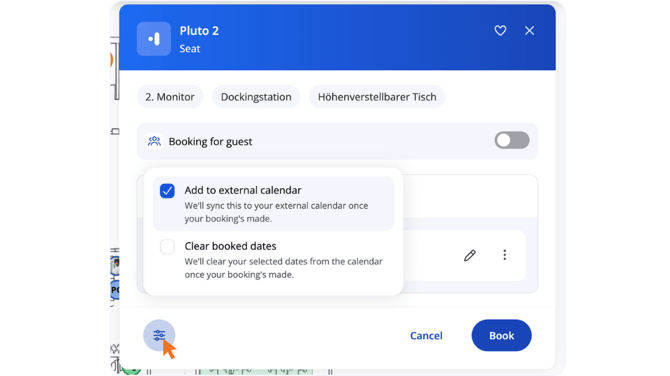
 Note: Once you have ticked the box, it remains permanently. If you don’t want to add a booking to your calendar, you must uncheck it.
Do you have any further questions?
You can contact our support team by email at support@desk.ly at any time. From Monday to Friday, 9 am to 4 pm (CET), we are also available via live chat and/or by phone at +49 541 9625 9040.
You can also contact our support team here in the Help Centre by clicking the "Contact our support team" button in the top right corner. We are always happy to help!