.svg)
Many desk.ly users check when their colleagues are coming into the office or where they’ve booked a desk – to help them decide when and where to book themselves. Others use this feature to find colleagues on site when they want to catch up spontaneously.
Search for your colleagues directly within the booking interface

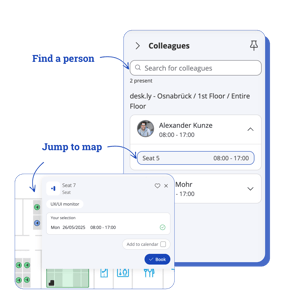
- Click “Colleagues” in the right-hand sidebar to see who else has booked a space on the selected days. You can also search for specific people.
- Click on a space name to jump straight to its location on the map. You’ll see if there’s a free desk nearby – and can book it instantly.
- P.S. Jump-to-map works even if your colleague has booked on a different floor or at a different location than the one you’ve selected.
In addition to the booking view, you can also see where your colleagues are via the “Who’s in the office?” feature – just like in the old booking flow (see below). 👇