
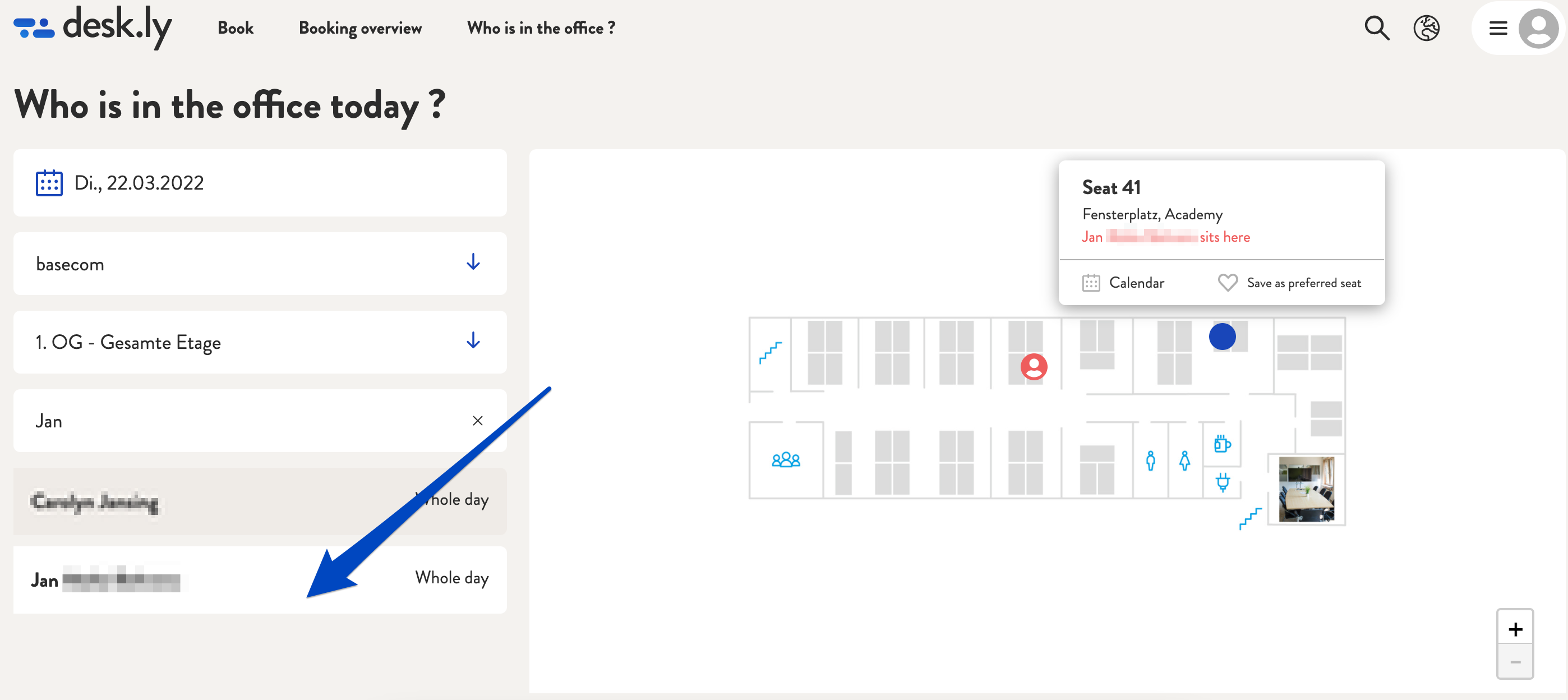
Using the menu item "Who is in the office?" you can not only see who is working in the office on a specific day. You also have the option of searching for colleagues. To do so, simply use the field above the list in which all present colleagues are listed.
This is how it looks like:
1. Click on "Who is in the office?"

2. Enter the name of the person you would like to search for in the search field.
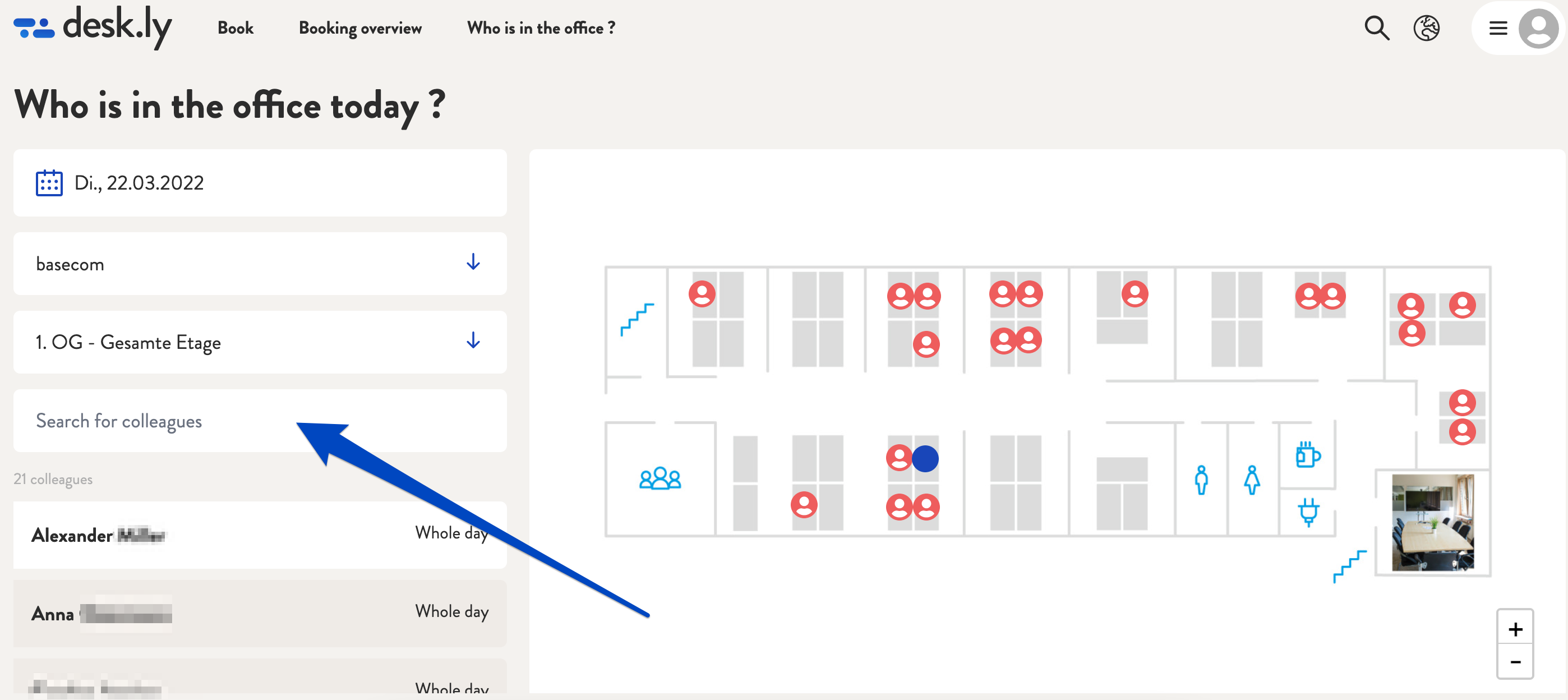
3. Now you can see where your colleagues are sitting.
Do you have any further questions?
You can contact our support team by email at support@desk.ly at any time. From Monday to Friday, 9 am to 4 pm (CET), we are also available via live chat and/or by phone at +49 541 9625 9040.
You can also contact our support team here in the Help Centre by clicking the "Contact our support team" button in the top right corner. We are always happy to help!