
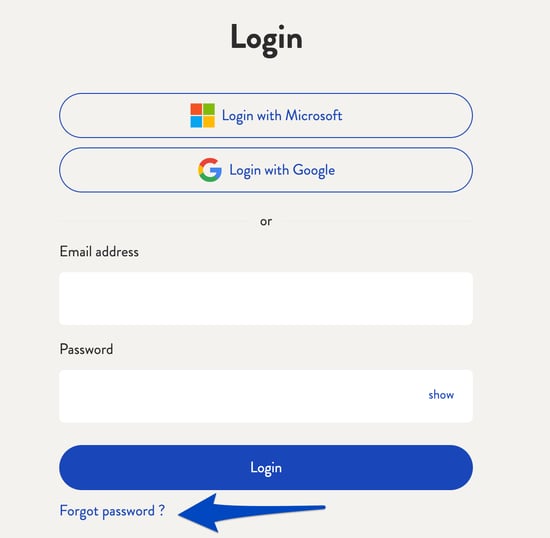
The password can only be reset for desk.ly accounts. To do this, use the "Forgotten password?" below the login.
Note: If the SSO is used via Microsoft, Google or OpenID, the password must be reset for the service used.
And this is how it looks like:
1. Go to the login section and click on "Forgot password".
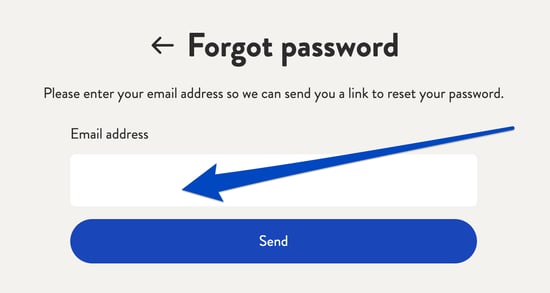
2. Then enter your email address and click on "Send". A link to reset your password will be sent to you by email.
Do you have any further questions?
You can contact our support team by email at support@desk.ly at any time. From Monday to Friday, 9 am to 4 pm (CET), we are also available via live chat and/or by phone at +49 541 9625 9040.
You can also contact our support team here in the Help Centre by clicking the "Contact our support team" button in the top right corner. We are always happy to help!