
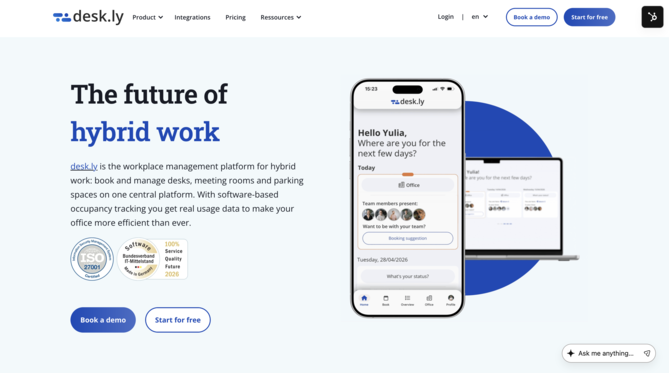
On our website you can find the button "Register for free" in the top right-hand corner. Alternatively, you can click here directly.
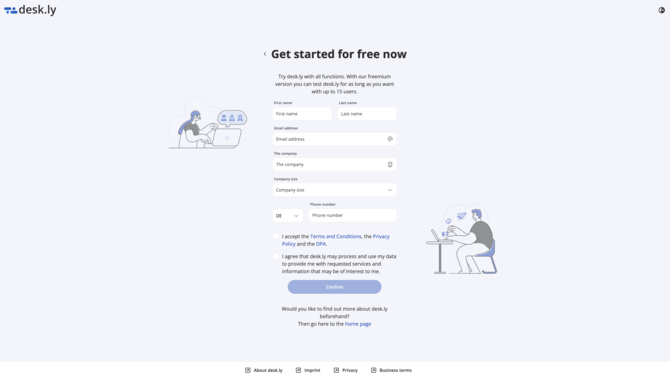
On the registration page you can now enter all relevant information about your company. This includes the name, e-mail address, telephone number and your domain.
Note: The domain is a globally unique name of a website and is not the same as the actual URL, as the domain is only a component of the URL.
- www.desk.ly ➜ Domain is desk.ly
- www.basecom.de ➜ Domain is basecom.de
You have more than one domain in your company? Then click on "Add another domain". All employees who register with an email address belonging to these domains will be assigned to your company and can book places. If you then click on "Complete registration now", you will receive an email from desk.ly asking you to confirm your registration. Afterwards you are ready and can edit further settings in the admin area.
This is how it looks like:
1. Click on "Start for free" on our website.
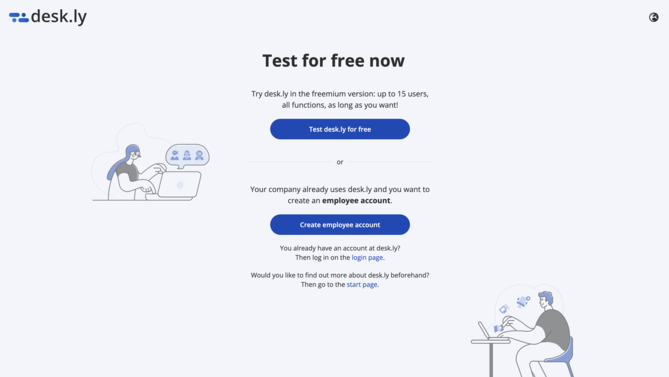
2. Select "Test desk.ly for free" here.
3. Now enter all the necessary information about your company.
4. When you log in, you will see the item "Admin area" in the menu bar. Here you can edit all further settings.
Do you have any further questions?
You can contact our support team by email at support@desk.ly at any time. From Monday to Friday, 9 am to 4 pm (CET), we are also available via live chat and/or by phone at +49 541 9625 9040.
You can also contact our support team here in the Help Centre by clicking the "Contact our support team" button in the top right corner. We are always happy to help!